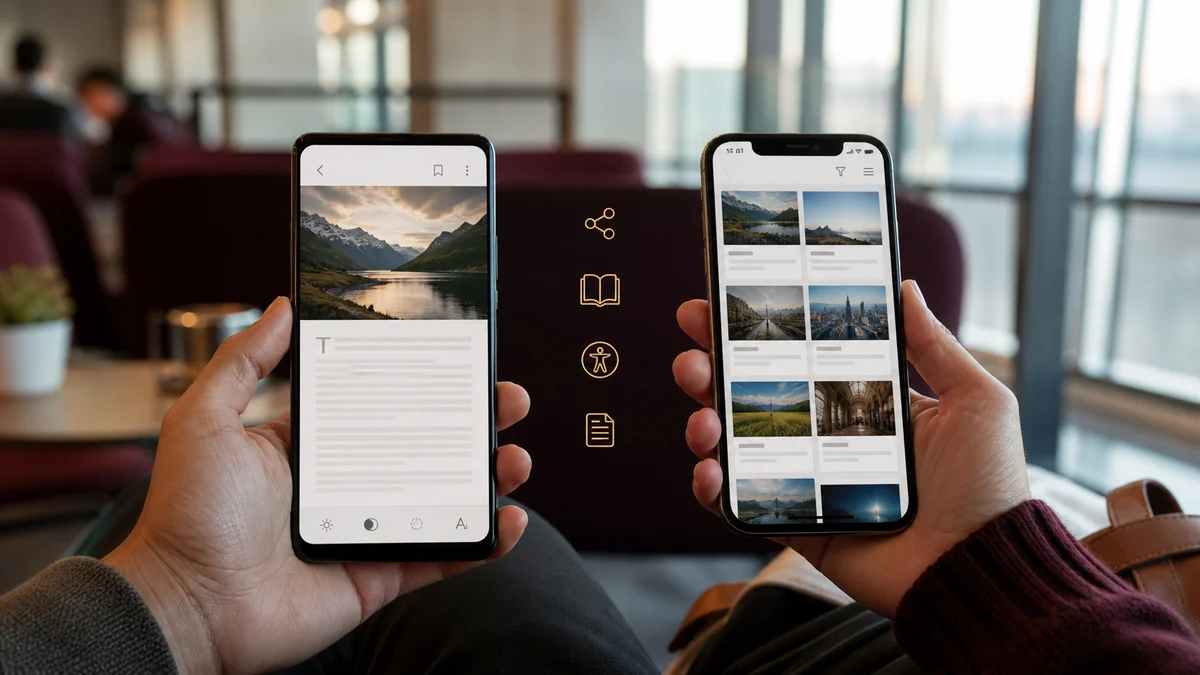
Mobile is where most reading now happens and where most access advice is worst. The genuinely effective mobile routes are unglamorous: the library app you already qualify for, the reader mode already in your browser, and the share sheet.
Key Takeaways
- Library apps are the strongest mobile route and work fully offline once downloaded.
- Reader mode helps with soft overlays only; it cannot recover text the server withheld.
- Never install a configuration profile or root certificate for article access.
- Publisher apps often run separate, more generous allowances than their websites.
Start with the Library Apps
This is the single most effective mobile access route and the one most readers have never used. A public library card typically unlocks two or three apps that between them carry an enormous amount of paid journalism.
- Libby — magazines and newspapers alongside ebooks and audiobooks, with full issues downloadable for offline reading.
- PressReader — same-day editions of thousands of newspapers and magazines worldwide, in original layout, free through most library systems.
- Your library's own database app, which often provides direct publisher access rather than reprints.
Setup is a card number and a PIN. Once signed in, there is no meter and no per-article limit, because the library has licensed unlimited access on behalf of its members.
If you do not have a card, most systems issue one online in minutes, and some offer digital-only cards to anyone in the region.
What Reader Mode Can and Cannot Do
Safari's Reader and the reader modes in Chrome, Firefox and Samsung Internet strip a page down to its text. Against a soft overlay that hides delivered content, that works — the text was already there.
Against a server-side wall it does nothing, because there is nothing to reformat. The reader icon may not even appear, which is itself a useful signal: no reader icon on an article page often means very little article text was delivered.
Reader mode is still worth using for the reasons it was designed for — removing clutter, improving typography, and making long pieces comfortable on a small screen.
Publisher Apps Behave Differently from Publisher Websites
The app and the website are frequently separate products with separate access rules, and the app is often the more generous one.
Common patterns: a separate meter that has not been consumed, a free daily edition not offered on the web, offline downloads for subscribers, and free access to sections the website gates. Publishers do this deliberately, because app installs are more valuable to them than web visits.
If you read one publication regularly on mobile, installing its app is worth ten minutes of checking.
Using the Share Sheet Properly
The share sheet is mobile's equivalent of a keyword shortcut, and it is underused for research.
iOS: from an article, tap Share, then Copy. An iOS Shortcut can take that URL and open it directly in an access tool, a library search, or an archive lookup. Enabling "Show in Share Sheet" puts it one tap away from every article you read.
Android: the share menu offers Copy link, and Chrome's own menu can send the page to other apps. Several library apps register as share targets, letting you search their catalogue for the publication directly.
Also worth knowing: both platforms can share a link straight into a notes app, which is the fastest way to build a reading queue you will actually return to.
What to Refuse on Mobile
Mobile access advice includes some genuinely dangerous suggestions, and they are worth naming.
Also decline: apps requesting accessibility-service permissions for non-accessibility purposes, VPNs from unknown operators whose actual product is your browsing data, and any app promising to unlock all paywalls, which is either lying or doing something you would not agree to if it were described plainly.
The legitimate mobile routes require no unusual permissions at all. That is a useful heuristic in itself.
A Mobile Sequence That Works
- Try reader mode — instant, and settles the soft-wall case.
- Check the publication in your library app.
- Check the publisher's own app if you read them often.
- Share the URL into an access tool for archive, repository and library routes.
- Save it to read later on desktop, where more routes are available.
That last step is not a defeat. Some research is simply easier with a keyboard and several tabs, and a good reading queue costs nothing to maintain.
Getting a Library Card Without Visiting a Library
Everything above depends on a library card, and the assumption that getting one requires a trip to a branch during working hours is what stops most people. In many systems it no longer does.
A large number of public library services now issue digital cards entirely online. You supply proof of address, receive a card number and PIN by email, and can be signed into the newspaper apps within about ten minutes. Search your local service's name plus "digital library card" or "eCard" to find the form.
Eligibility is usually broader than people assume. Many systems serve anyone who lives, works or studies in the area, which means a workplace address can qualify you for a second system's collection. Some national and state libraries offer membership to any resident of the country, and their digital collections are often larger than a local branch's.
If you have moved recently, check whether your previous card is still active. Borrowing rights typically lapse when you leave the area, but digital access sometimes continues until the card expires, and reactivating an existing card is faster than applying fresh.
Reading Offline on a Commute or a Flight
Mobile access is most valuable exactly where connectivity is worst, and the routes that work offline are different from the ones that work at a desk.
Library apps are the strongest option here. Both Libby and PressReader download complete issues to the device, so an entire newspaper is available with no connection at all. Downloading the day's editions before leaving turns a commute into genuine reading time rather than a fight with patchy signal.
Publisher apps frequently offer the same for subscribers, often as an automatic overnight download. If you pay for a publication and read it while travelling, enabling that setting is the single biggest improvement available to you.
For individual articles, a read-later service saves the text of anything you can already access, which is ideal for building a queue during the week and clearing it offline. It will not open anything gated — that has to be resolved first — but paired with a library app it covers most of what you would want to read away from a network.
Frequently Asked Questions
Do library apps work offline?
Yes. Both Libby and PressReader download full issues for offline reading, which is ideal for commutes and flights.
Is a mobile VPN useful for paywalls?
Rarely. It changes your apparent location, which affects regional blocks but not meters or hard walls. Free VPNs frequently monetise your traffic.
Why does the reader icon sometimes not appear?
Because the browser did not find enough article text to reformat — usually meaning the server sent very little of it.
Conclusion
Mobile article access works best when reader mode, share sheets, library apps, bookmarks, and publisher accounts support one another. Choose tools that request minimal permissions and preserve the original source. A repeatable phone workflow makes legitimate reading faster without installing suspicious profiles, exposing credentials, or depending on unreliable browser tricks.
Find Access Options for Your Article
Paste a link and get nine legitimate research routes in a second.